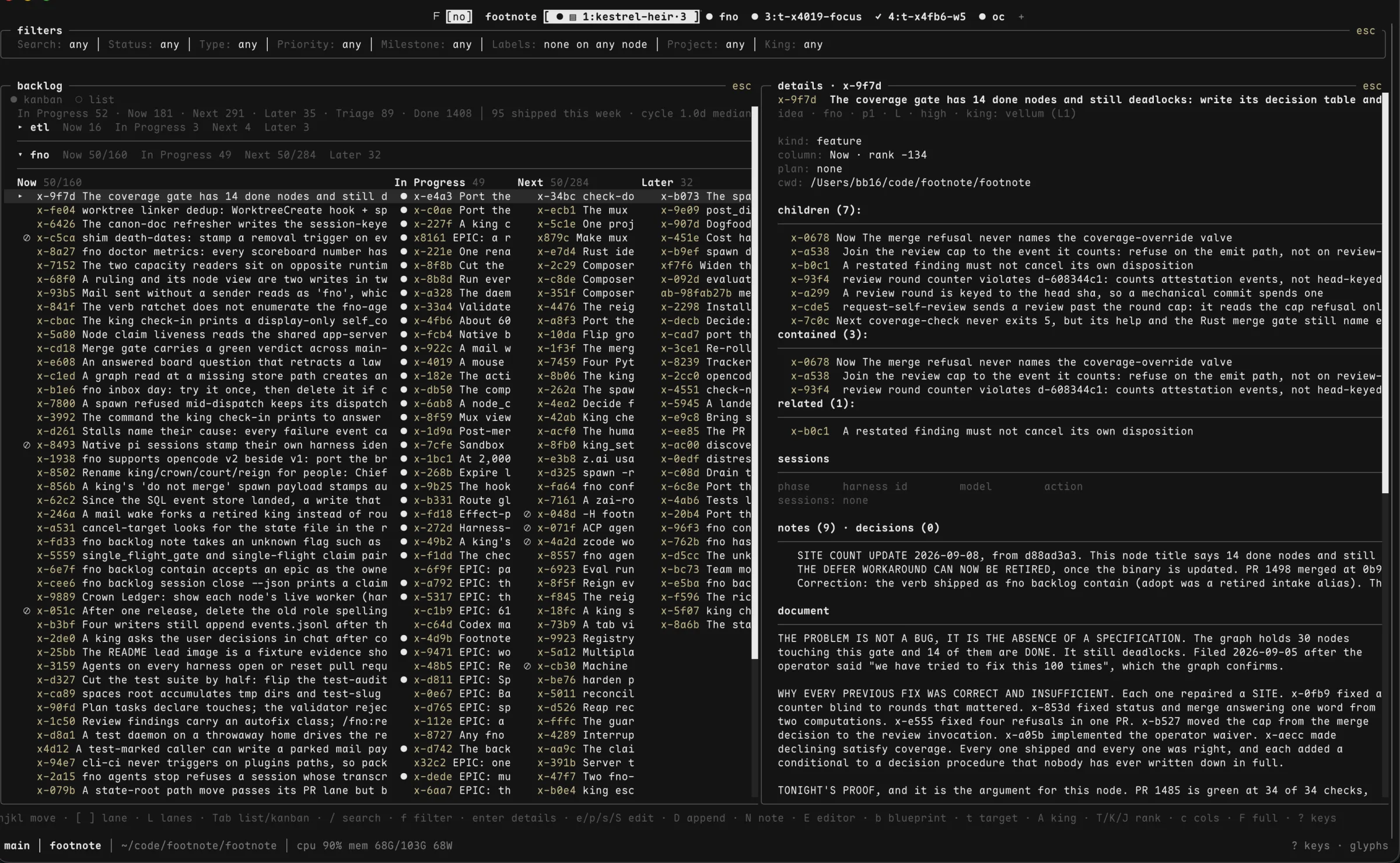
The backlog is a graph
The backlog stores pieces of work and the dependencies between them. When a pull request merges, the work that waited on it becomes ready, so an unattended loop always has something to pick up next.
fno backlog list ready
Lead agents hand out the work, check it against GitHub, and bring you only the decisions.1 Claude Code, Codex and OpenCode on one team.
curl -fsSL fno.sh | sh
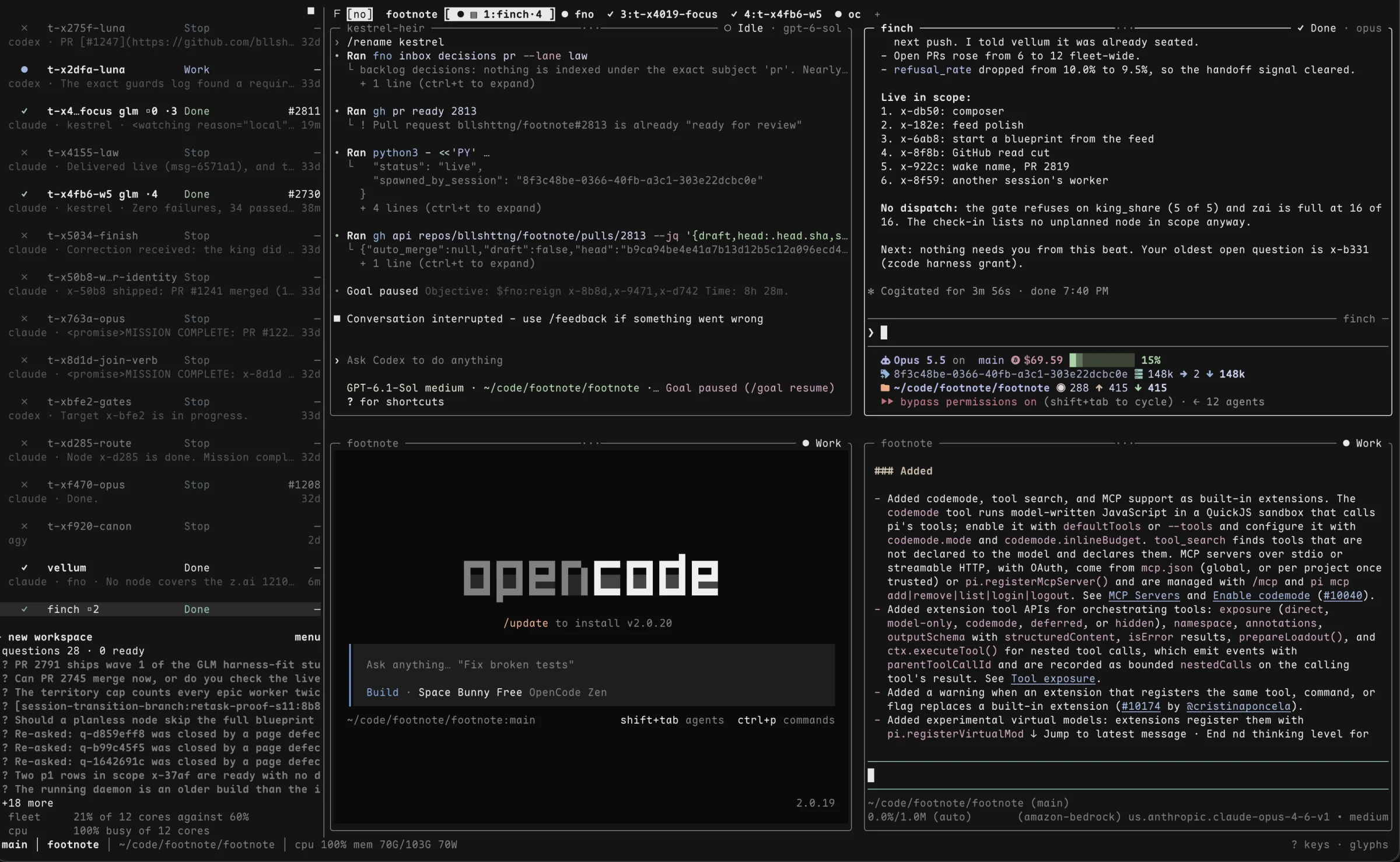
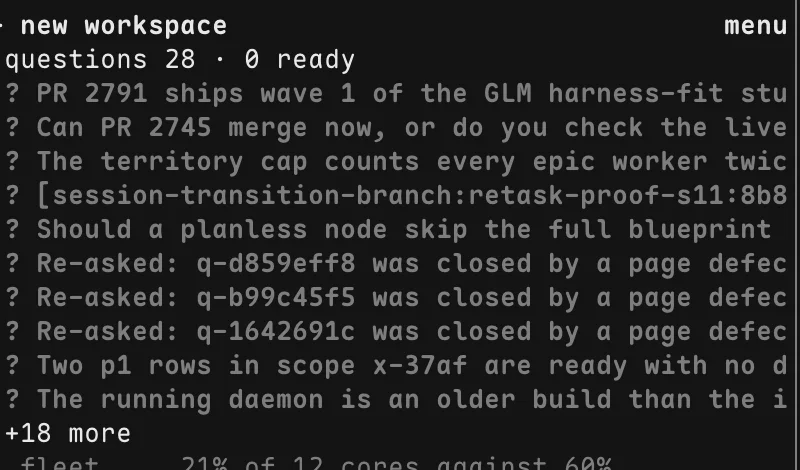
fno mux with four portals open, the sideline roster, and the
questions that wait on you.
Agents run in the background. Open a portal onto any of them when you want to look, several at once, and close it when you're done. The work keeps going either way.
A coding agent will tell you the tests passed. footnote checks for itself: it reads the pull request, the CI checks and the review, and keeps working until all three are done.
The merge stays yours until you opt in.2
fno do pr status
/fno:target is the whole loop. Point it at an idea and it runs every
stage. Point it at a plan and it picks up from there. Each stage is also its own
command when you want to run it by hand.
/fno:think
Researches the question against the code and writes cited findings before anyone commits to a plan.
/fno:blueprint
Turns the approved direction into a plan: waves, tasks, acceptance criteria.
/fno:target
Builds the plan test-first and keeps going until the pull request, CI and review are done.
/fno:review
Reads the diff before it ships and pins its verdict to the commit it read.
/fno:ship
Opens the pull request, answers external review, and runs the post-merge steps.
With more than one agent running, you need to know who owns which branch, which result is current, and which session is waiting on you.
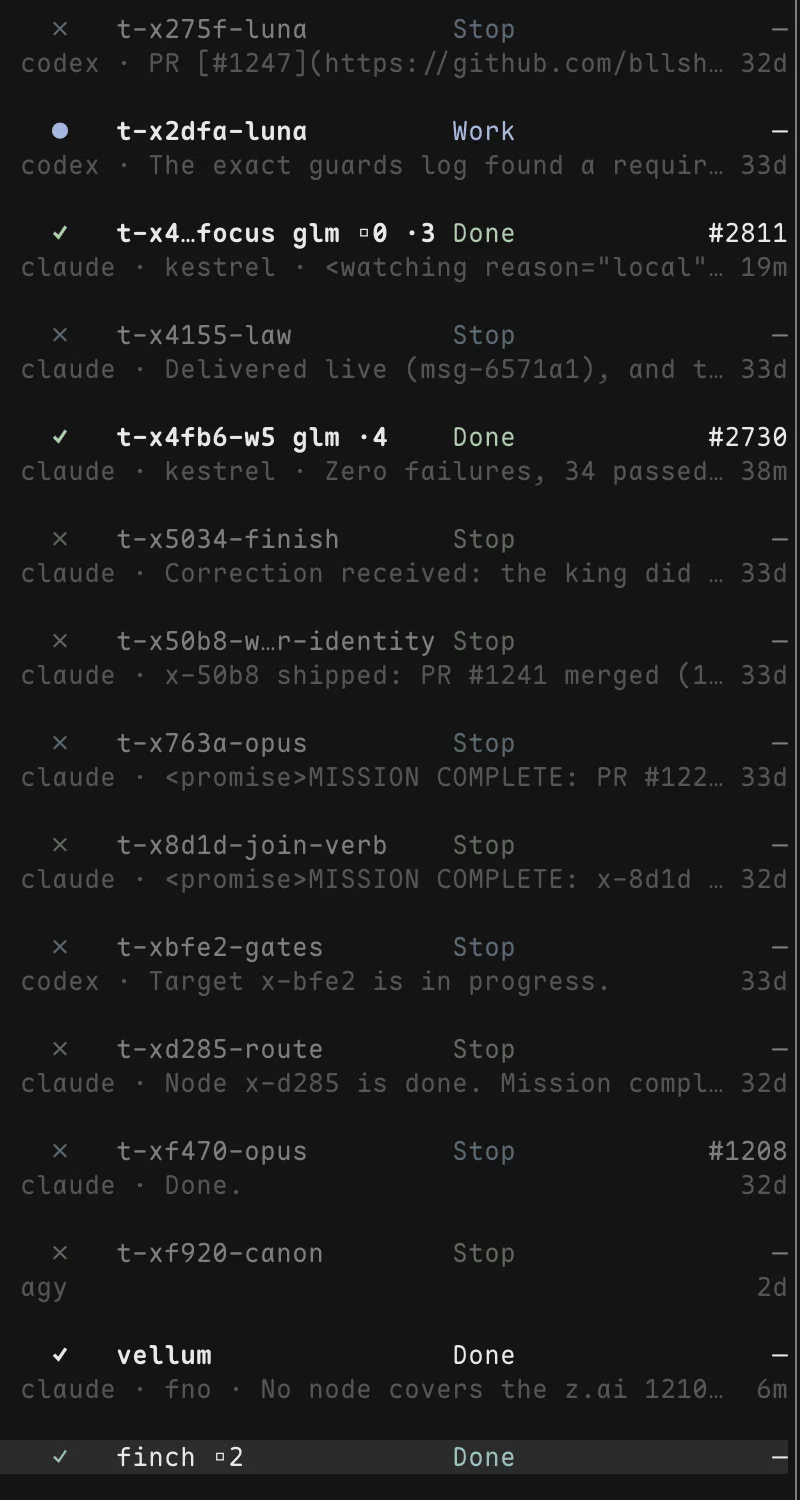
The backlog stores pieces of work and the dependencies between them. When a pull request merges, the work that waited on it becomes ready, so an unattended loop always has something to pick up next.
fno backlog list ready
Claims, backlog state and the finish line mean the same thing whichever agent CLI did the work.4 Workers can message each other across sessions and projects.
fno agents spawn fno agents mail send
fno mux runs every agent in a pane you can watch, type into or
script. Each pane has an address, so checking on a worker takes one command.
fno mux pane send
Sooner or later two agents reach for the same piece of work. Claims are atomic and they expire. When ownership is unclear the second agent waits, because a queued task costs less than two agents editing one branch.
fno agents claim status
You run these inside your agent. Each one handles a job that needs judgment, like planning or review.
/fno:target/fno:think/fno:blueprint/fno:review/fno:fixfno CLIYou run these in any shell or script. The slash commands call the same verbs.
fno backlogfno do prfno agentsfno muxfno whoamifootnote works in your real repository, with your credentials. It does what you asked without stopping to confirm each step, so read where the trust boundary sits before you walk away.
curl -fsSL fno.sh | sh
Installs the fno CLI and offers to wire the plugin into your
agent. macOS, Linux, and Windows through
WSL2.
brew install bllshttng/fno/fnouv tool install fnocargo install fno/plugin marketplace add bllshttng/footnoteClaude Code, then /plugin install fno@footnotecodex plugin marketplace add bllshttng/footnoteCodex, then codex plugin add fno@footnote/fno:target "add rate limiting to the API"Run it from your agent CLI. footnote plans the work, builds it test-first, reviews the diff and opens the pull request.
You come back to a pull request with green CI and a finished review. The merge is your call.
fno agents autonomy status
shows what can run without you, gate by gate.
back
config.review.max_rounds caps the rounds, two by default. Findings
still open at the cap go into the pull request conversation.
back